Sometimes Goodbye Is A Second Chance
Posted in Music with tags Second Chance, Shinedown on April 25, 2013 by sosideways
So long, farewell
Posted in Cars with tags 240sx, coilovers, Stance GR+ on March 17, 2013 by sosideways
It is time to move on to bigger and better things. These coilovers have served me well for the past few years, but I have it grown them.
Inforce APL Initial Review
Posted in Guns with tags APL, Auto Pistol Light, Gen 4, Glock 19, Impact Weapons Components, Inforce, IWC on January 18, 2013 by sosidewaysFor a video review of this light instead of reading through this novel, you can click on this link to watch my review on youtube.
Having a handgun or pistol for home defense is a good idea, but when the sun goes down and the lights go out in the house, the danger is still ever present. What do you do if there was a bump in the night, and your dog(s) start barking? You go check out the source of the noise with the trusty pistol of your choice and you navigate throughout your home with no problems because you’re familiar with the house’s layouts. You have no issues moving around because of the ambient lights from the different electronics around the house, as well as the night lights in the hallway.
But who is that in the hallway?
Is that an intruder that had just broke into the house and is about to burglarize the place?
Or is that a family member that had simply stayed out till the wee hours in the morning again, drunk, knocking everything over while staggering about, trying to make it back to their bedroom?
All these thoughts are going through your mind, and you wished you had a flashlight so you could figure out who it was that is in your house, but you don’t have one, so you do the next best thing and you call out to the person.
“Hey, is that you down there Jimmy?”
The next thing you hear is BANG. And another one, and another one.
Wish you had that flashlight now, don’t cha? Continue reading
Daily inspirations
Posted in Cars with tags 8th Gen, Accord, Canibeat, CP2, hellaflush, Honda, Stance Nation, VS-XX, Work Wheels on October 12, 2012 by sosideways

Another one?!
Posted in Cars with tags Coupe, S13, scs13, Silvia, stanced, VS-KF, Work Wheels on October 11, 2012 by sosidewaysAnother super clean S13 with VS-KFs from Scs13 on Zilvia.net. Motivatiooooooooonnnnnnnnnnnnnn!!!!!!!!!!!!!!!!!!

Oh my…
Posted in Cars with tags 240sx, S13, Silver, Stance Nation, stanced, VS-KF, Work Wheels on October 8, 2012 by sosidewaysThis car actually makes me want to work on my car a little more to get it looking good and performing good again.

New daily
Posted in Cars with tags Accord, daily driver, Honda, new car on September 27, 2012 by sosideways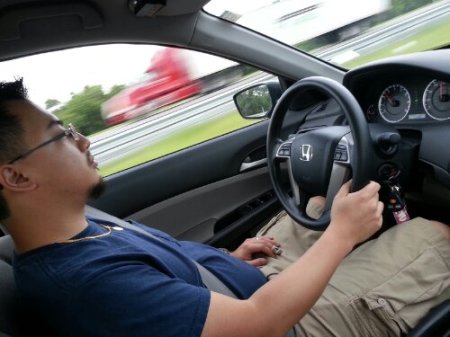
The “Long Post” That Isn’t Long, Finally Here!
Posted in Uncategorized with tags Chromoly Flywheel, Exedy, sr20det, Stage 2 Clutch on August 3, 2012 by sosideways So I was gonna do a write up about the clutch + flywheel install on my car, but there are many out there, and to be honest I don’t feel like doing a write up, which is why it took so long for the “long post” that never happened.
Anyway, out came the old OEM flywheel and the SPEC Stage 3 6-puck clutch from circa 2003, and the new Exedy chromoly flywheel and Exedy Stage 2 clutch went on.
Hands down, the Exedy Stage 2 feels better than the SPEC in every single way. I will never buy another SPEC clutch again.
Preview of a long post
Posted in Cars with tags 240sx, clutch on May 19, 2012 by sosideways
Can you guess what that is?


 Sosideways Blog